
TRANSFERPILOT FEATURES
Everything you need to run your airport transfer operation.
From the first booking to the final drop-off, TransferPilot brings your bookings, drivers, customers, flight information and day-to-day operations together in one platform.
Spend less time switching between systems and more time running your business.
BUILT FOR THE WHOLE OPERATION
One platform. From booking to completion.
TransferPilot connects the tools your team uses every day, giving operators, drivers and customers the right information at the right time.
Booking & Dispatch Management
Keep every booking under control.
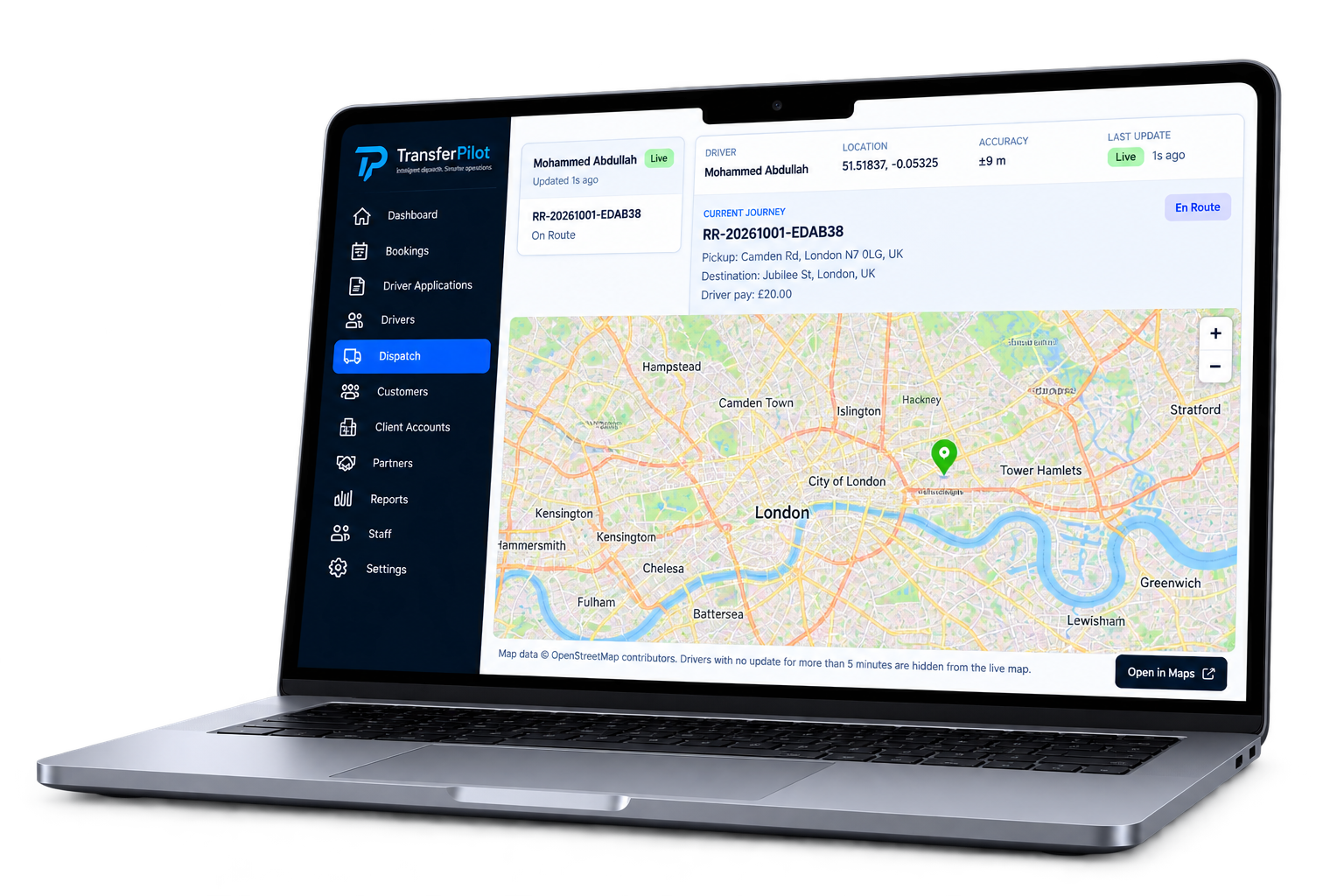
Manage your bookings from one central workspace, from the moment a journey is created through to completion.
See the journey details, customer information, assigned driver, vehicle, payment status and operational updates without jumping between different systems.
✓ Create and manage bookings
✓ Assign and reassign drivers
✓ Manage multi-stop journeys
✓ Follow each journey through its operational stages
BOOKING & DISPATCH
BUILT-IN FLIGHT TRACKING
Flight tracking built into the journey.
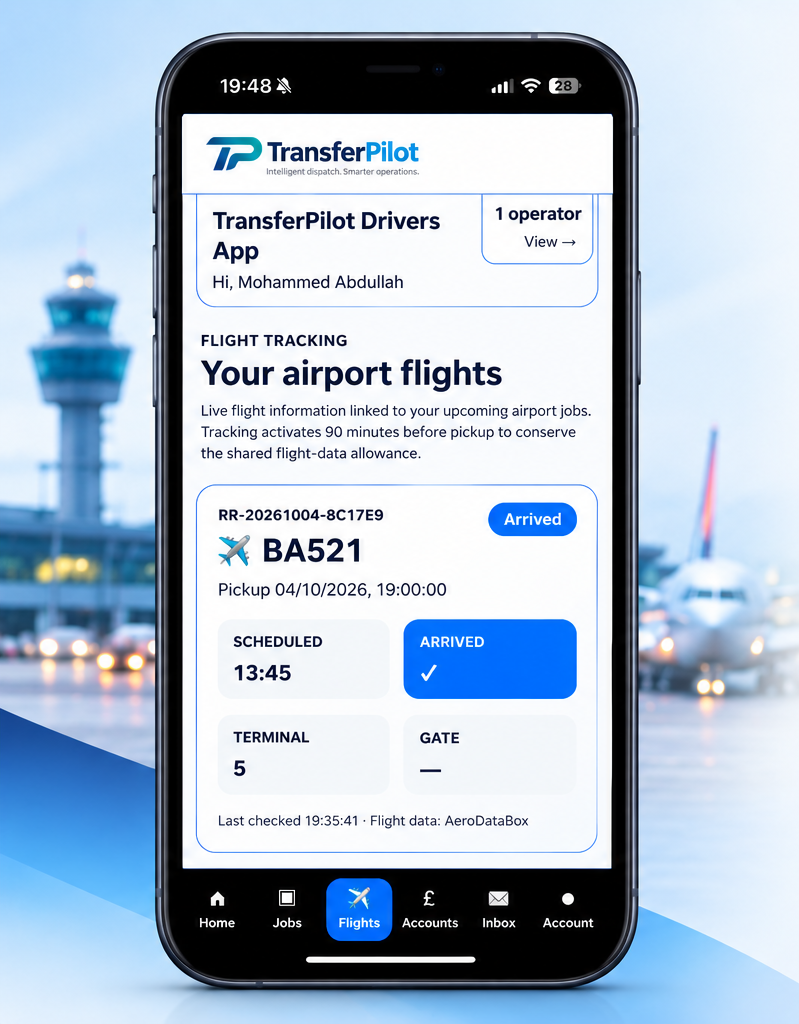
Airport pickups can change at any moment. TransferPilot keeps flight information connected to the booking, so your operation and driver have the information they need when managing the pickup.
✓ Flight information linked directly to airport pickup bookings
✓ Keep track of delays and changing arrival information
✓ Flight details available within the Driver App
✓ Less manual flight checking for your operations team
Better information. Better timing. Smoother airport pickups.
TRANSFERPILOT DRIVER APP
Give drivers everything they need for the journey.
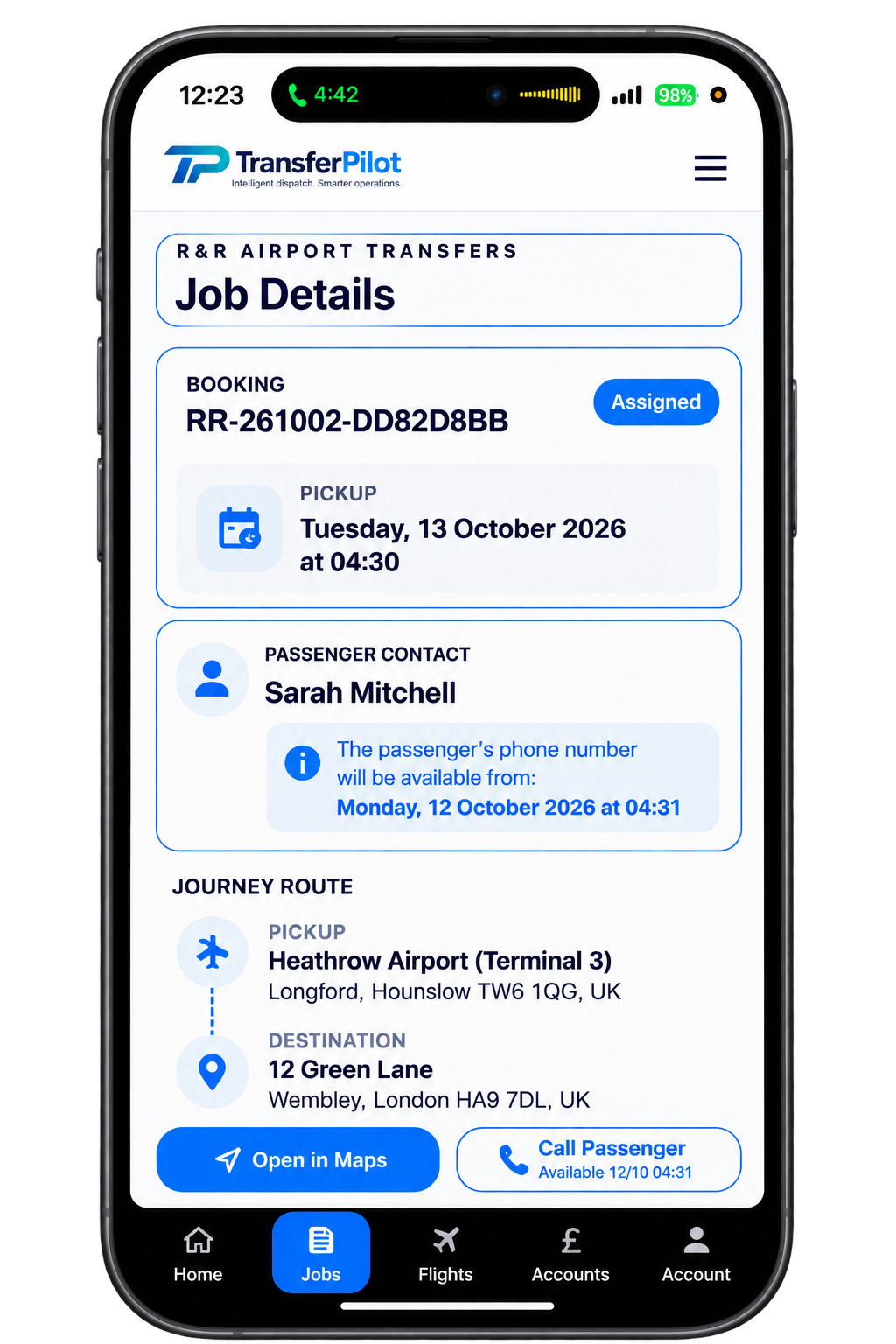
Drivers can receive and manage their assigned jobs from the TransferPilot Driver App, with the important journey information available in one place.
From accepting a job through to completing the journey, each stage stays connected to your operation.
✓ View and manage assigned jobs
✓ Journey status and progress controls
✓ Pickup, destination and passenger information
✓ Airport flight information for airport pickups
✓ Meet & Greet passenger board
✓ Driver profile and compliance information
Drivers stay informed. Operators stay in control.
SMARTER DAY-TO-DAY OPERATIONS
More than booking management.
TransferPilot brings the smaller but important parts of your operation together, helping your team manage drivers, customers and journeys without relying on separate systems.
Driver Management & Compliance
Keep driver information, vehicle details and compliance records organised.

Multi-stop Journeys
Manage journeys with multiple ordered stops from booking through dispatch and the Driver App.

Customer Experience
Give customers access to their journeys, driver information and booking details.
Additional Charges
Record and collect approved additional journey charges without losing the original booking history.

Meet & Greet Passenger Board
Drivers can display the passenger's name clearly from their phone for airport collections.

Notifications & Communication
Keep drivers and customers informed as important booking and journey events happen.

BUILT TO SUPPORT YOUR BUSINESS
More control behind every journey.
TransferPilot gives operators the tools to manage more than today's jobs — from business accounts and reporting to integrations that connect your operation with other systems.
Client Accounts
Manage business clients and account customers alongside your day-to-day bookings, keeping their journeys and account activity organised in one place.

Partner API & Integrations
Connect TransferPilot with external partners and booking systems through secure API integrations, helping bookings and updates move between businesses without manual re-entry.

Reporting & Accounting
Get a clearer view of operational and financial activity with reporting tools designed around your transfer business.

Operator Controls & Security
Control who can access and manage your operation, with company-based permissions and secure separation of business data.

AUTOMATION & COMMUNICATION
Less chasing. Less manual work.
TransferPilot helps keep customers and drivers informed throughout the booking journey, reducing repetitive admin for your operations team.
1. Customer Booking Communications
Keep customers informed automatically.
Send important booking information and updates throughout the journey, helping reduce manual calls, messages and follow-ups.

3. Driver Updates
Keep drivers connected to every change.
Assignment and journey information stays connected to the Driver App, helping drivers work from the latest information provided by your operation.

2. Manage My Booking
Give customers access to their journey.
Customers can securely access their booking details and relevant journey information without needing to contact your operations team for every update.
4. Secure Information Sharing
Share sensitive information at the right time.
TransferPilot controls when certain journey information becomes available, helping operators share what drivers and customers need without exposing information unnecessarily.

SEE TRANSFERPILOT IN ACTION
Ready to bring your operation together?
See how TransferPilot can help you manage bookings, drivers, customers and airport transfers from one connected platform.